Now Available on iPhone

Stop Guessing.
Start Growing.

Contact Sheet gives you honest, structured AI feedback on your photography — the kind of critique you used to have to beg for.

Contact Developer See How It Works ↓
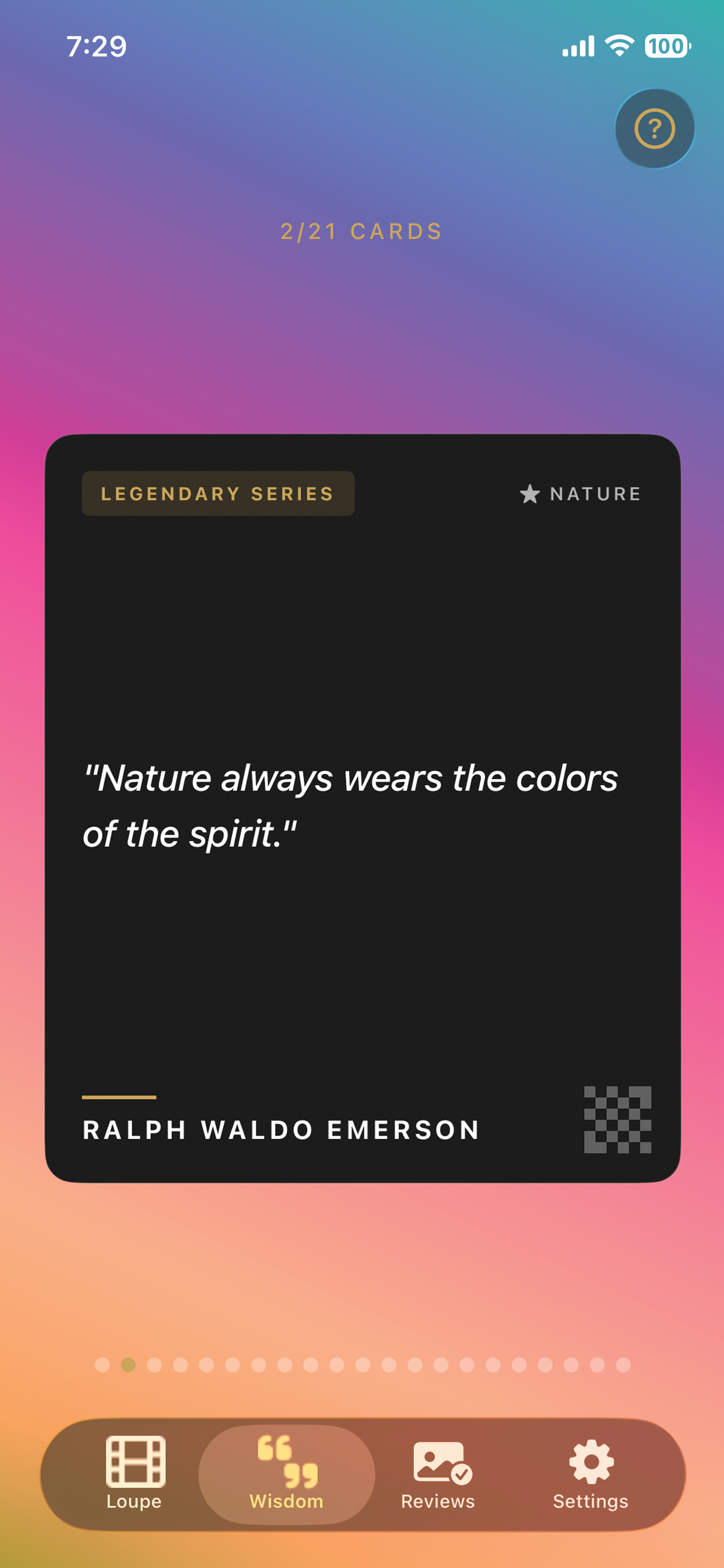
Wisdom quotes screen
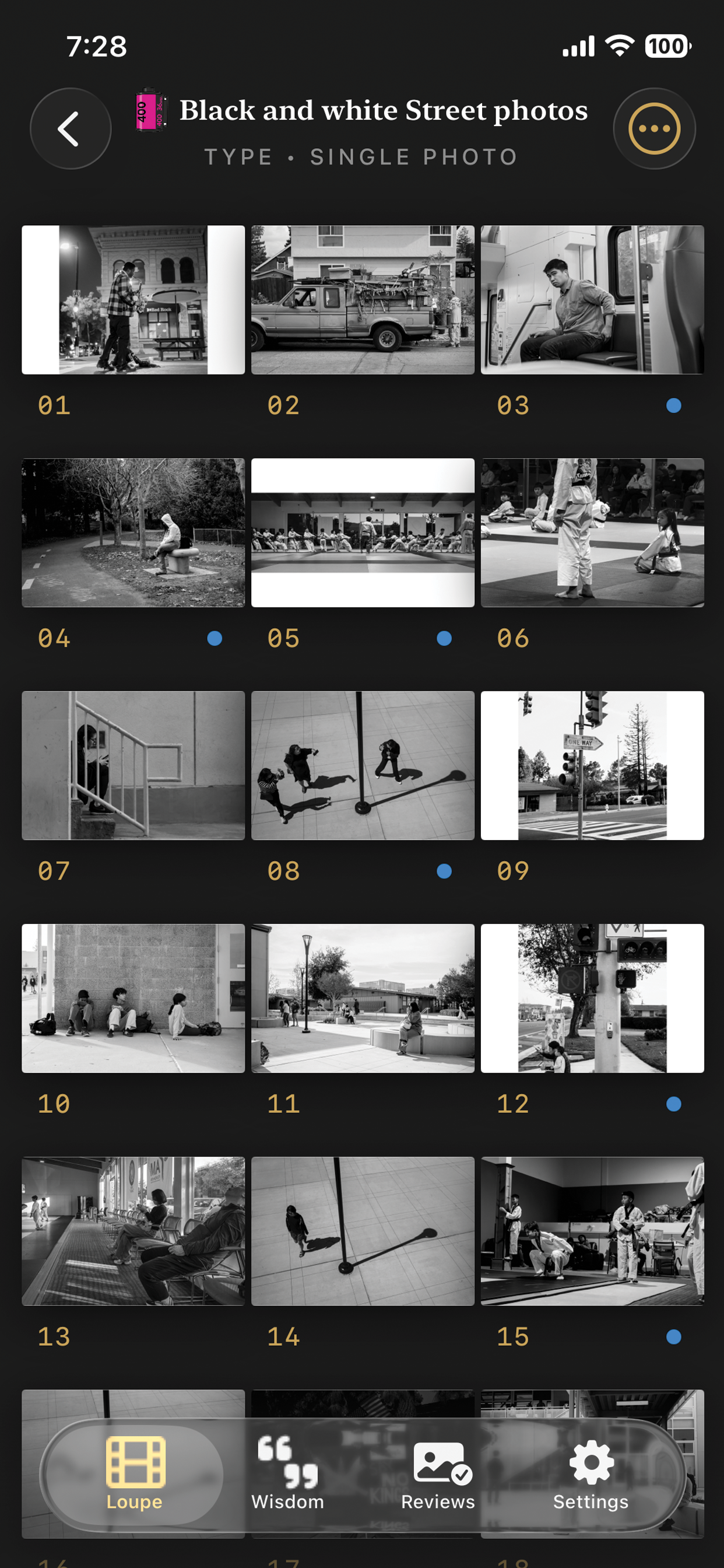
Film roll detail view
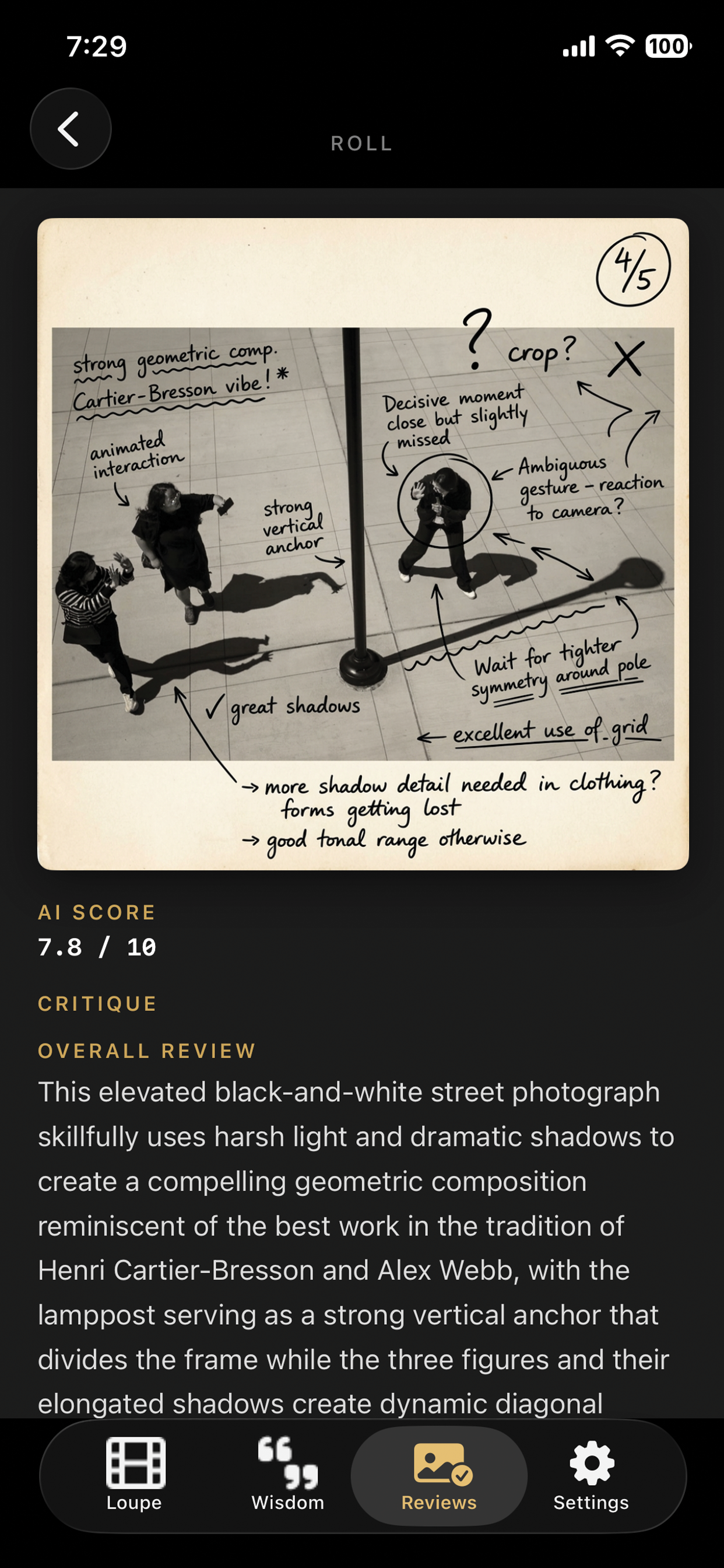
AI critique review screen
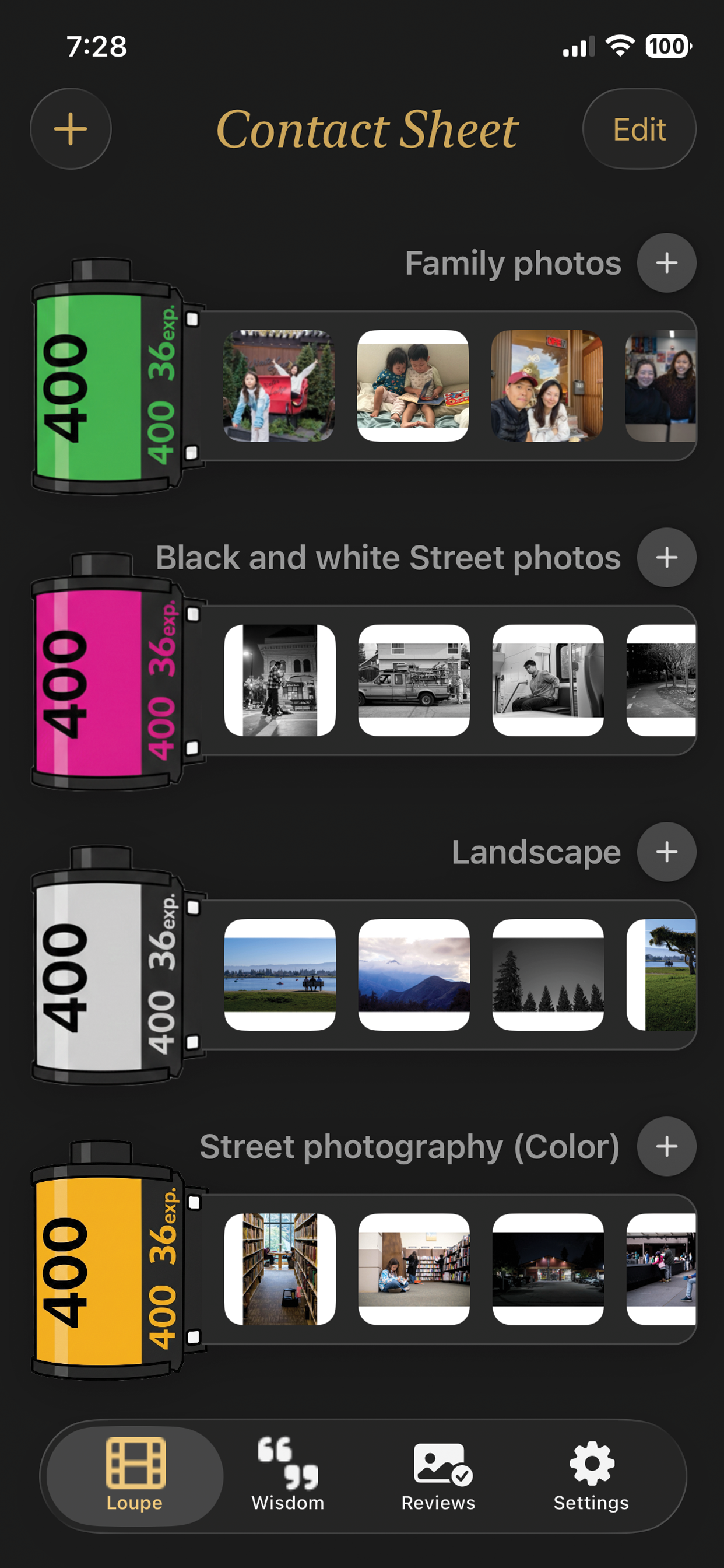
Contact Sheet main screen
The Story Behind the App
Getting more likes on Instagram is not the point of taking pictures — and it's not an efficient way to get feedback.

Contact Sheet was built by an amateur photographer who kept asking the same question: how do I actually get better? Without a mentor or a darkroom group to critique your prints, honest feedback is hard to come by. So I built an AI director who does exactly that — pointing out strengths, flagging weaknesses, and scoring your work across real photographic dimensions.
Barty, Developer & Amateur Photographer

Everything a photographer
needs to improve

Organised around the natural workflow of a film photographer — from roll to review.

🎞

Film Roll Organisation

Group your photos into curated Film Rolls — color-coded series for street, landscape, personal projects, and more. Keep your creative work structured.

🤖

AI Photo Critique

Send any photo for a scored AI analysis across Composition, Technique, and Content. Receive typewriter-animated feedback that reads like a real critique.

🖊

Annotated Photos

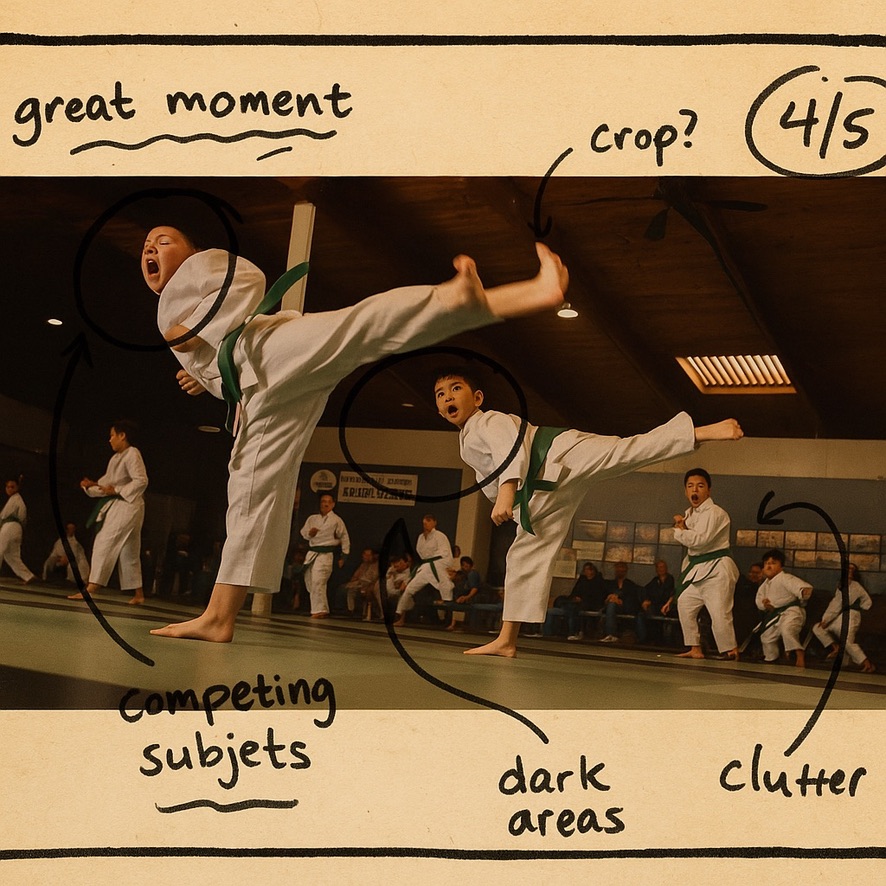
Generate an AI-annotated version of your photo with visual overlays — handwritten-style notes pointing to exactly what worked and what didn't.

⚖️

Self-Evaluation Scoring

Rate your own photo before the AI weighs in. Compare your intuition with the AI score to understand the gap between your intent and the result.

☁️

iCloud Backup

Your film rolls, critiques, and annotated photos are backed up to iCloud and accessible across all your Apple devices.

💬

Photographer Wisdom

Daily inspiration from the masters — Henri Cartier-Bresson, Ansel Adams, Vivian Maier. Curated quotes to keep your eye sharp and your mind curious.

Your photo.
Annotated.

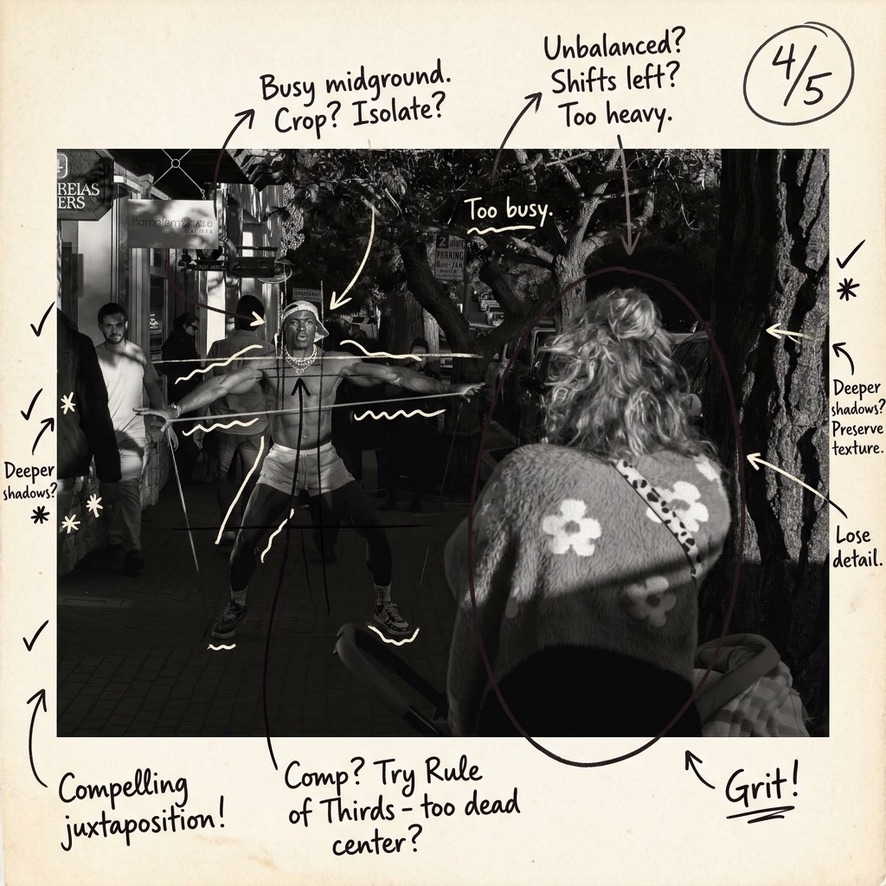
The AI marks up your actual image with handwritten-style notes — so you can see exactly what the critique is talking about.

Karate photo AI critique
AI Score: 4 / 5

Great Moment, Competing Subjects

The decisive moment is captured — but clutter in the background and multiple competing subjects dilute the impact. Try cropping.

Street photography AI critique
AI Score: 4 / 5

Compelling Juxtaposition

Grit and texture work well. Composition sits too dead-center — try the Rule of Thirds. Unbalanced weight shifts left.

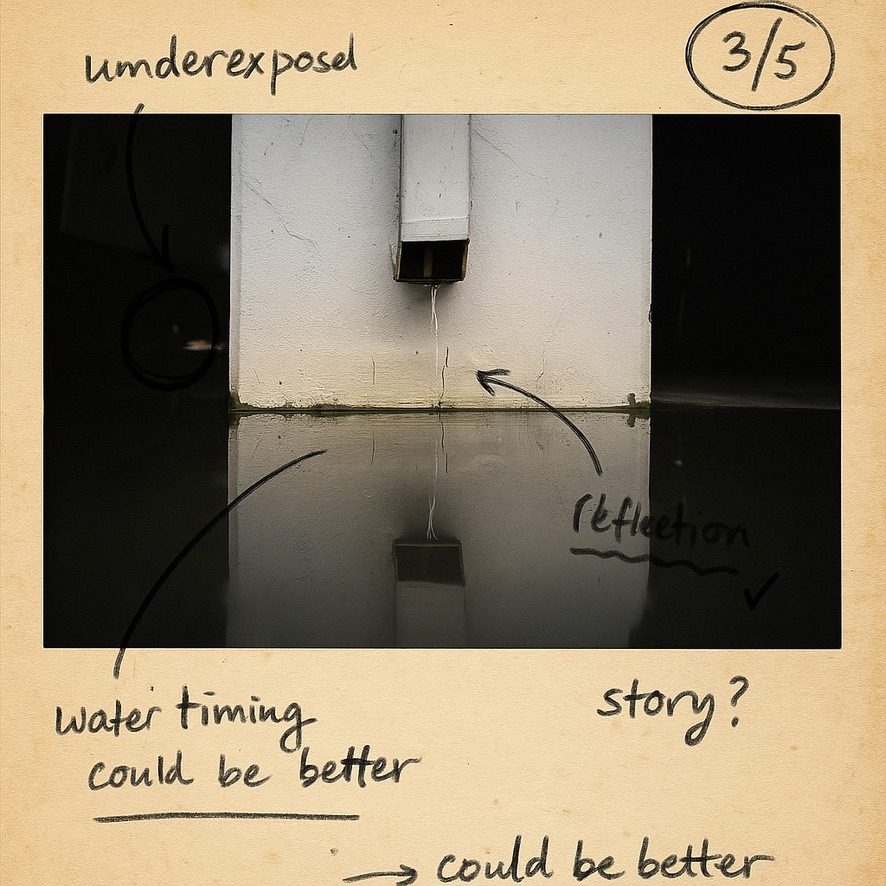
Water fountain AI critique
AI Score: 3 / 5

Reflection Is the Story

The reflection creates a strong mirror effect — but underexposure hides the detail and water timing could be sharper.

From shoot to
critique in minutes

1

Create a Film Roll

Start a new roll and give it a name — "Street Photography July", "Landscape Trip", whatever fits. Choose a color. Import your photos.

Photo Library Import
2

Add Context & Score Yourself

Give each photo a title, a short description of your intent, and your own self-evaluation score. This makes the AI critique far more targeted.

Self-Evaluation
3

Request Your Critique

Tap Critique. The AI analyzes your image and returns a scored breakdown across Composition, Technique, and Content with typewriter-animated feedback.

GPT-4o Vision
4

Generate Annotated Photo

Optionally generate a visual overlay of your photo with handwritten-style annotations pointing to the exact areas the AI is critiquing.

AI Image Generation
5

Review & Reflect

Browse all your past critiques in the Reviews tab. Track your scores over time. See where you're improving — and where to focus next.

Progress Tracking
AI Score and Critique screen

A score.
A breakdown.
A path forward.

Every critique gives you a numeric AI score alongside a detailed analysis — written like a real photography teacher, not a chatbot.

The AI evaluates Composition, Technique, and Content separately, so you know exactly which dimension to work on next.

8.2 Overall
9.1 Composition
7.8 Technique
7.6 Content
Photographer Wisdom

Stay inspired between shoots.

Legendary Series
"Your first 10,000 photographs are your worst." Henri Cartier-Bresson

Contact Sheet surfaces daily wisdom from the masters of photography — right inside the app. A gentle reminder that great photography is a practice, not a destination.

Ready to see your
photos differently?

Download Contact Sheet and get honest feedback on your photography — from an AI that actually knows what to look for.

Download on the App Store

Questions? thebarty82+contactsheet@gmail.com